Friend Location: Phone Tracker
MG-MagicSoftGamingMaps & Navigation
3.991.00 Reviews
- Version
- 1.1.2
- Installs
- 1.00M
- Age Rating
- Everyone
Screenshots
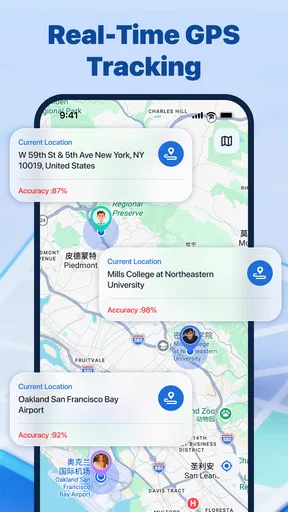
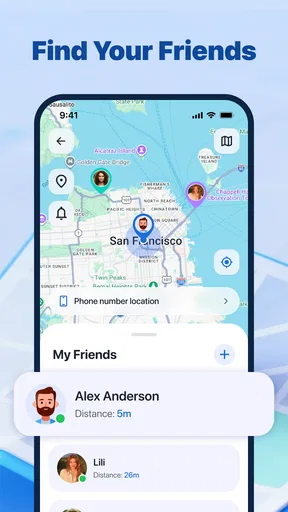
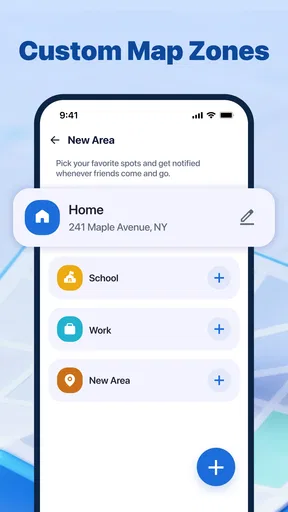
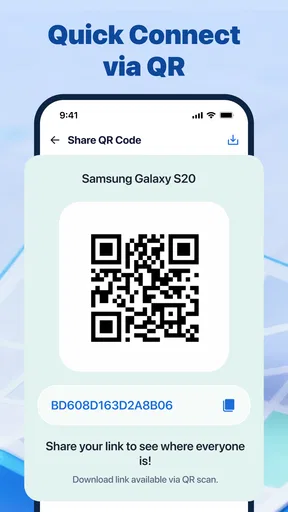
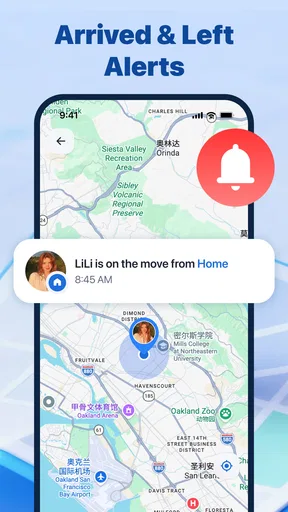
Our Review of Friend Location: Phone Tracker
 Analysis by Appyee
I tried Friend Location: Phone Tracker as a lightweight way to keep an eye on the whereabouts of people who have agreed to share their location with me. Its purpose is straightforward: it connects real-time location sharing with safety notifications for authorized friends. That makes it more relevant to everyday coordination than to turn-by-turn navigation. I would think of it as a small shared-location tool for people who already trust one another, rather than as a complete replacement for a full navigation service.
The app comes from MG-MagicSoftGaming and sits in the Maps & Navigation category. It is free to use, rated for Everyone, and supports devices running Android 7.0 or later. The current release is version 1.0.4. Those details make it accessible for households with a mixture of newer and older Android phones, although the practical experience will still depend on how well each device handles location access and background activity.
How Friend Location works in a shared household
The most natural use I found for it is a shared-device or household situation where people need a simple answer to “Where are you?” without repeatedly sending messages. Imagine one person leaving work, another collecting a child from an activity, and someone else staying at home. If each participant has authorized the others, the location view can become a common reference point instead of a chain of updates such as “I’m nearly there” or “I left five minutes ago.”
That sounds modest, but it solves a real coordination problem. A location-sharing app is most useful when everyone checks it before calling or texting. I would use it to decide when to start preparing dinner, whether to wait before locking up, or whether a pickup is still on schedule. The value is not just seeing a dot on a map; it is reducing unnecessary interruptions during ordinary routines.
There is also a useful distinction between this kind of app and a navigation app. Navigation software is designed to guide one person from a starting point to a destination. Friend Location: Phone Tracker is aimed at helping authorized people understand one another’s current position. If your question is “How do I get there?”, a conventional maps app remains the better tool. If your question is “Has the other person left yet?”, this app is more directly aligned with the task.
I would be careful not to treat the map as a perfect substitute for a phone call. A displayed position can be delayed, affected by weak reception, or misunderstood when someone is inside a large building. My practical habit would be to use the location as a prompt for coordination, then confirm important changes directly. That is especially sensible for appointments, late-night travel, or any situation where a wrong assumption could matter.
Starting with clear boundaries
The most important part of setting up a location-sharing tool is not the map; it is deciding who should be authorized and why. I would begin with a small circle rather than adding every contact available on a device. A household can agree on simple rules: location sharing is for pickups, travel coordination, and safety check-ins, not for constant questioning about every stop.
That boundary matters even more when a phone is shared between people. Before enabling anything, I would make sure the person using the device understands whose location is being shared and who can see it. A shared handset can blur account boundaries, particularly when one person borrows another person’s phone. I would avoid assuming that access to the device automatically means permission to view another person’s movements.
Because the app is built around authorized friends, consent should be treated as an ongoing conversation rather than a one-time technical step. If a family member no longer wants to share, the arrangement should be revisited immediately. The app can support coordination, but it cannot create trust by itself. Good location sharing begins with an explicit agreement about access, purpose, and limits.
For a household, I would also write down a simple fallback plan. If a phone battery dies, the device is left at home, or the map appears unchanged for too long, everyone should know whether to call, send a message, or contact another person. This is one of the less obvious trade-offs of live location tools: they can make communication easier when working normally, but they can also encourage people to wait for a map update instead of checking in directly.
Using it for practical coordination
The app makes the most sense when a group has a repeated routine. A useful example is an evening pickup. One person can share their location while travelling, and the person waiting can judge whether it is time to leave the house. That avoids a series of vague messages and lets the waiting person keep doing something else until the timing becomes relevant.
Another scenario is coordinating several people at a busy public place. Instead of describing landmarks over the phone, authorized friends can use the shared position as a starting point for meeting. I would still exchange a written meeting point, because a map position alone may not show which entrance, floor, or side of a building someone is using. The app helps narrow the search; it does not remove the need for clear language.
A third useful workflow is checking progress during a journey without demanding constant updates. If someone has already agreed to share their location, a friend can look at the app before sending a message. That can be less intrusive than repeatedly asking for status reports. The trade-off is that the person viewing the map must resist turning a convenience into surveillance. A location tool works best when it reduces pressure, not when it creates a new expectation to respond instantly.
Safety notifications add another layer to that arrangement. I see them as a reason to keep the authorized group focused and manageable. If too many people receive alerts, an important notification can become easy to ignore. A smaller group of genuinely responsible contacts is more useful than a large audience that rarely pays attention.
When I use an app like this, I also pay attention to the difference between an alert and an emergency service. Safety notifications can help friends notice a situation or coordinate a response, but they should not be treated as a guaranteed emergency system. For urgent danger, the appropriate local emergency number and direct communication remain more important than waiting for an app to update.
Age, trust, and shared devices
The Everyone content rating makes the app approachable for a broad audience, but an age label does not answer the household question of who should be included in location sharing. I would make that decision based on maturity, understanding, and the specific purpose of the arrangement. A younger user may need an adult to explain what the map shows, when sharing is active, and why another person can see the information.
For parents or guardians, I would avoid presenting the app as a hidden monitoring tool. A transparent agreement is healthier: explain who can view the location, when it is useful, and what happens if the phone is offline. That approach also helps children learn an important digital habit: location information is personal, and permission matters even inside a family.
Teenagers may reasonably want more independence, while adults may want reassurance during a journey. The app can sit between those needs if everyone agrees on a limited purpose. For example, sharing during a late trip home is easier to justify than expecting continuous visibility throughout the day. I would discuss those differences before relying on the app, because a technical setting cannot resolve a disagreement about privacy.
Shared-device use deserves extra care. If several people use one phone, I would check which account or person is active before changing location settings. I would also avoid leaving the app open where another user could casually inspect information intended for a different person. The central practical lesson is simple: separate the device from the identity. Owning or borrowing a phone does not automatically grant permission to view every shared location connected with it.
There is a similar issue with lending a phone to a friend. If the device is temporarily in someone else’s hands, the original sharing arrangement may no longer match the person actually carrying it. I would treat that as a reason to pause and verify rather than assuming the map remains meaningful. A tracker follows the device, so the person reading the map must always consider whether the device and its owner are still together.
What it does well, and where I would be cautious
My positive impression comes from the app’s focused purpose. It is not trying to be a full travel planner, a social network, or a large navigation suite. That narrower role can make it easier to understand for a group that only wants shared whereabouts and safety-oriented notifications. The free price also lowers the barrier to trying it with a trusted circle, provided everyone is comfortable with the arrangement.
The audience size suggests that it has already attracted meaningful interest, with over one hundred thousand installs. Its average score is 3.3 from around two hundred eighty ratings, alongside around forty reviews. I read that combination as a reason to approach it with realistic expectations rather than assuming it will suit every phone and household equally well. The rating does not make the app unusable, but it does reinforce my view that testing it during ordinary, low-stakes trips is wiser than depending on it immediately for something critical.
The main friction is the responsibility placed on the people using it. Location sharing only helps when the right people authorize one another, keep their phones available, and understand what the map means. A stale position, a misplaced phone, or a misunderstood alert can create false confidence. This is not a criticism unique to the idea of location sharing, but it is especially important here because the app’s simple presentation may tempt users to overlook the human arrangements behind it.
I would also skip it if what I really needed was detailed route planning, public transport information, traffic-aware directions, or a mature ecosystem of map layers. A conventional maps application is better for those jobs. I would likewise hesitate to use it for a workplace group or a casual social gathering where people have not discussed privacy clearly. The app is strongest among people with an existing relationship and a specific reason to coordinate.
One useful habit is to establish a “map plus message” rule. Use the location view to understand the general situation, then send a short message when the timing or meeting point matters. This avoids two common mistakes: sending unnecessary check-ins when the map already answers the question, and treating the map as exact when a human confirmation is needed. That small workflow makes the app more practical without asking it to do more than it is designed to do.
Another tip is to keep the authorized circle purpose-based. A pickup group, a travel group, and a close household group may not need identical access. Even without inventing special family controls, users can make better decisions by thinking in terms of the smallest group that needs the information. That reduces social pressure and makes safety notifications more meaningful.
Who should install it
I would recommend giving it a try if you share an Android household routine with trusted friends or relatives and want a direct way to coordinate movements. It is particularly suitable for people who regularly arrange pickups, meet at changing locations, or want a simple shared view during a journey. The app’s purpose is easy to explain, and its minimum Android requirement keeps it relevant to some older devices.
I would not recommend installing it merely because someone else expects constant access to your location. The right question is not whether a tracker can be useful, but whether the sharing arrangement feels voluntary, limited, and understandable. If those conditions are missing, the app may add tension instead of safety.
iPhone users should also check platform compatibility before building a group around it, since the stated minimum operating-system requirement is for Android. I would not assume that every person in a mixed-device household can participate in exactly the same way without checking the relevant version of the app for their device. That is a practical step worth taking before promising a shared workflow.
The developer, MG-MagicSoftGaming, presents a focused utility rather than a feature-heavy navigation platform. In my experience, that focus is both the appeal and the limitation. There are fewer distractions from the central task of sharing whereabouts, but users looking for a broad travel toolkit will quickly reach for another app.
My household verdict
After using it as a coordination tool, I see Friend Location: Phone Tracker as a sensible option for small, trusted groups that want location awareness without turning every interaction into a phone call. Its best moments are ordinary ones: knowing whether someone has started a trip, judging when to leave for a pickup, or checking a shared position before sending a needless message.
I would install it with clear expectations and a written household agreement about authorization, privacy, and backup communication. I would test it during a normal outing, confirm that everyone understands the shared view, and avoid making it the only safety plan. That approach respects both the usefulness of live location and its limits.
For a family or group of friends that values simple coordination, the free app is worth considering. For detailed navigation, emergency dependence, or relationships without established trust, I would choose a different solution or rely on direct communication. My final view is positive but measured: this is a focused shared-location utility, and it works best when the people using it are just as clear about boundaries as they are about where they are going.
Privacy and Permissions
See what permissions an app requests and how it handles your data.
- Location
- approximate location (network-based), precise location (GPS and network-based)
- Camera
- take pictures and videos
- Other
- view network connections, full network access, run at startup, control vibration, prevent device from sleeping, Google Play license check
Verdict
Strengths of Friend Location: Phone Tracker
- Simple interface makes location sharing easy to understand.
- Supports real-time tracking for keeping up with family members.
- Useful arrival and departure alerts for added peace of mind.
- Can help coordinate meetups without constant messaging.
- Location permissions can be managed directly from the device.
Limitations of Friend Location: Phone Tracker
- Continuous GPS use may reduce battery life noticeably.
- Tracking features require a stable internet connection to work well.
- Some features may be limited behind a subscription or in-app purchases.
- Sharing location can raise privacy concerns if permissions are mismanaged.
- Accuracy may vary indoors or in areas with weak GPS coverage.
Similar Picks in This Category
View All
Uber - Request a ride
Uber Technologies, Inc.4.7


inDrive. Rides with fair fares
® SUOL INNOVATIONS LTD4.8

Yandex Go: Taxi Food Delivery
Mikromobilnost LLC Belgrade4.8

Bolt: Request a Ride
Bolt Technology4.8

Rapido: Bike-Taxi, Auto & Cabs
Rapido Bike Taxi4.8
Frequently Asked Questions
What is Friend Location: Phone Tracker and how does it work?
Friend Location: Phone Tracker is designed to help users share and view the real-time or recent location of trusted contacts. After installation, the app generally requires location permissions, an account or invitation system, and consent from the people you want to connect with. Its usefulness depends on GPS accuracy, mobile data, battery settings, and whether each participant keeps location sharing enabled.
Is Friend Location: Phone Tracker safe and private to use?
The app should only be used with the clear permission of everyone whose location is being shared. Before downloading, review its privacy policy, permission requests, data-sharing practices, and account controls. Avoid using it to monitor someone secretly, and do not share tracking links or location information publicly. Privacy settings, visibility controls, and the ability to stop sharing are especially important features to check.
Does the app require an internet connection and GPS access?
Yes, location-tracking applications normally need access to the device’s location services and an internet connection to send updated coordinates to other users. GPS may work less accurately indoors, underground, or in areas with tall buildings, while mobile data or Wi-Fi affects how quickly updates appear. If either service is disabled, location information may be delayed, unavailable, or show an outdated position.
Will Friend Location: Phone Tracker drain my phone’s battery?
Continuous location sharing can consume more battery than ordinary app use because the phone may periodically activate GPS, mobile data, and background services. Battery impact varies according to update frequency, signal strength, device model, and system settings. To reduce consumption, consider using less frequent updates, limiting tracking to necessary periods, and checking whether the app continues running in the background.
Can I use Friend Location: Phone Tracker to locate a lost phone or track anyone?
The app may help you view the location of connected users who have agreed to share it, but it should not be treated as a guaranteed lost-device recovery tool or a way to track people without consent. A missing phone may be offline, powered off, out of battery, or unable to provide a current signal. For device recovery, use the official Find My Device or Find My service when appropriate.
